
A request, end to end
One request followed from the moment somebody needs something to the moment they agree it is done — and then the rules underneath it.
The request, step by step
Priya needs a laptop
She opens Fulfilra from Jira's Apps menu — no signup, no second password — picks Hardware request from the catalog, and fills in the form. It asks what she needs, who it is for, when, and why.
Submitted, and filed in Jira in the same moment
She gets two identifiers:
REQ-48for the request andITSM-212for the Jira issue that already exists. Because the type needs approval, the request is Pending approval and stops there.Jade is asked
Jade is step 1 on this type. The request appears in her Approvals tab marked Your turn, and in her inbox. She reads Priya's justification and approves with a note about the budget — a note Priya does not see, because it is commentary for the business.
Mei picks it up
It reaches the queue as Approved. Mei presses Start work; the request assigns itself to her and Priya is told work has started. Mei orders the machine on the Jira board her team already lives in.
A question, and an answer
Mei needs the office address, so she comments and setsWaiting on information from customer. Priya is notified, replies, and Mei resumes. Priya was never notified about the internal note Mei left for her colleague about the supplier being slow.
Done, and agreed
Mei drags the issue to Done on her board. Fulfilra moves the request toResolved and tells Priya. Priya checks the laptop, and presses Close. Had it not been right, she could have reopened it — with the whole history intact.
Ten statuses, and who may move between them
The matrix is fixed. Every status change goes through it — a button, an approval, or a Jira board — and writes exactly one history row.
| From | To | Who may |
|---|---|---|
| Submitted | Pending approval | Automatic, at submission |
| Submitted | In progress | Agent, admin, Jira board |
| Pending approval | Approved / Rejected | The named approver, via the approval engine |
| Approved | In progress | Agent, admin, Jira board |
| In progress | Waiting on customer | Agent, admin |
| Waiting on customer | In progress | Agent, admin, the requester, Jira board |
| In progress | Suspended | Agent, admin |
| In progress | Resolved | Agent, admin, Jira board |
| Resolved | Closed | The requester, agent, admin |
| Resolved | In progress (reopen) | The requester, agent, admin, Jira board |
| Submitted / Pending approval / Approved | Cancelled | The requester, admin |
The absences matter more than the entries.
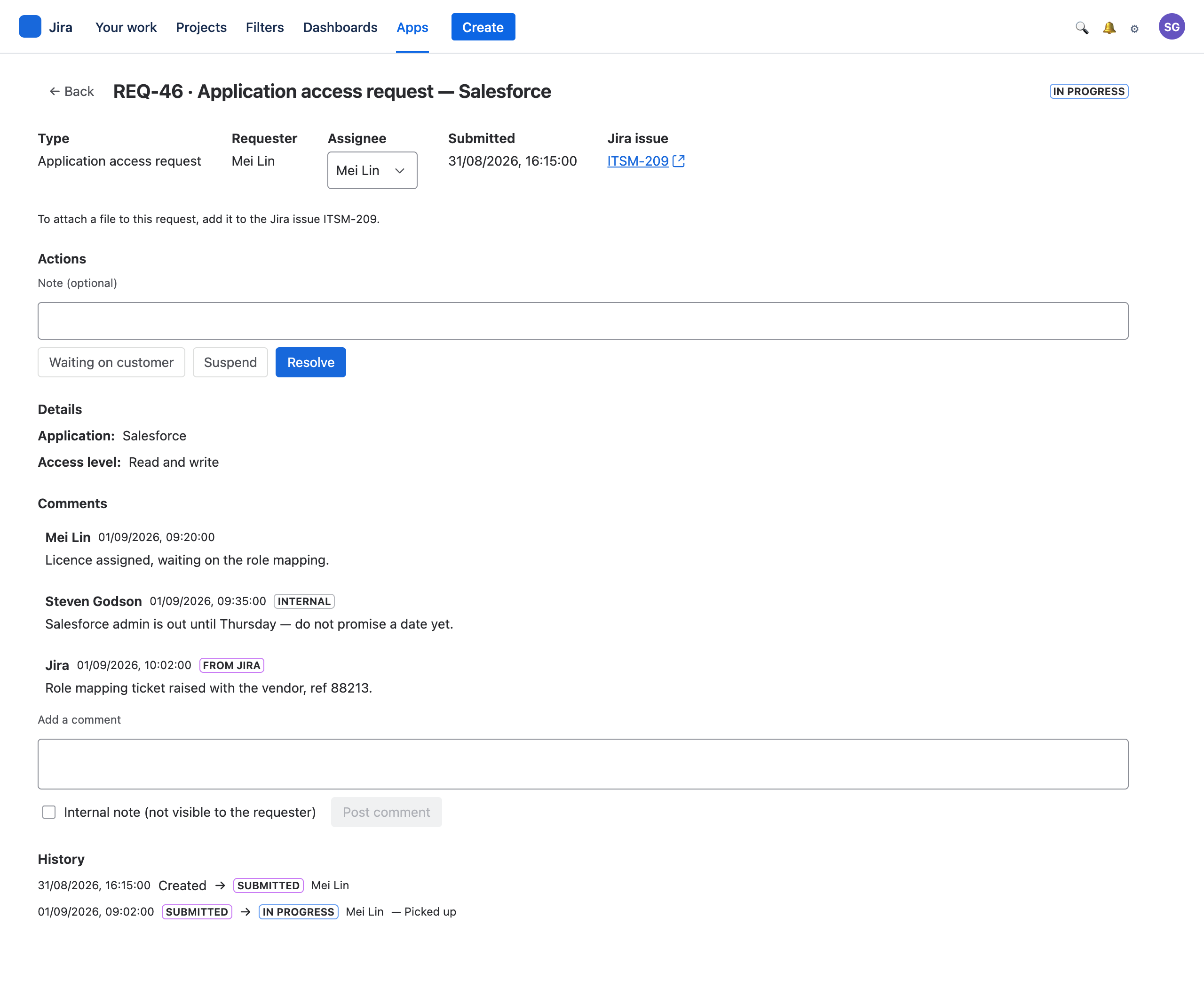
Nothing leaves Pending approval except through the approval engine — a Jira transition past an approval gate would be an authorisation bypass wearing an integration's clothes. Nothing reaches Closed,Cancelled or Rejected from a board, because an integration should not be able to end somebody's request. And nothing moves at all once a request is finished: a board moving afterwards is recorded for an administrator to look at, not applied silently.
Everybody sees what is theirs to see
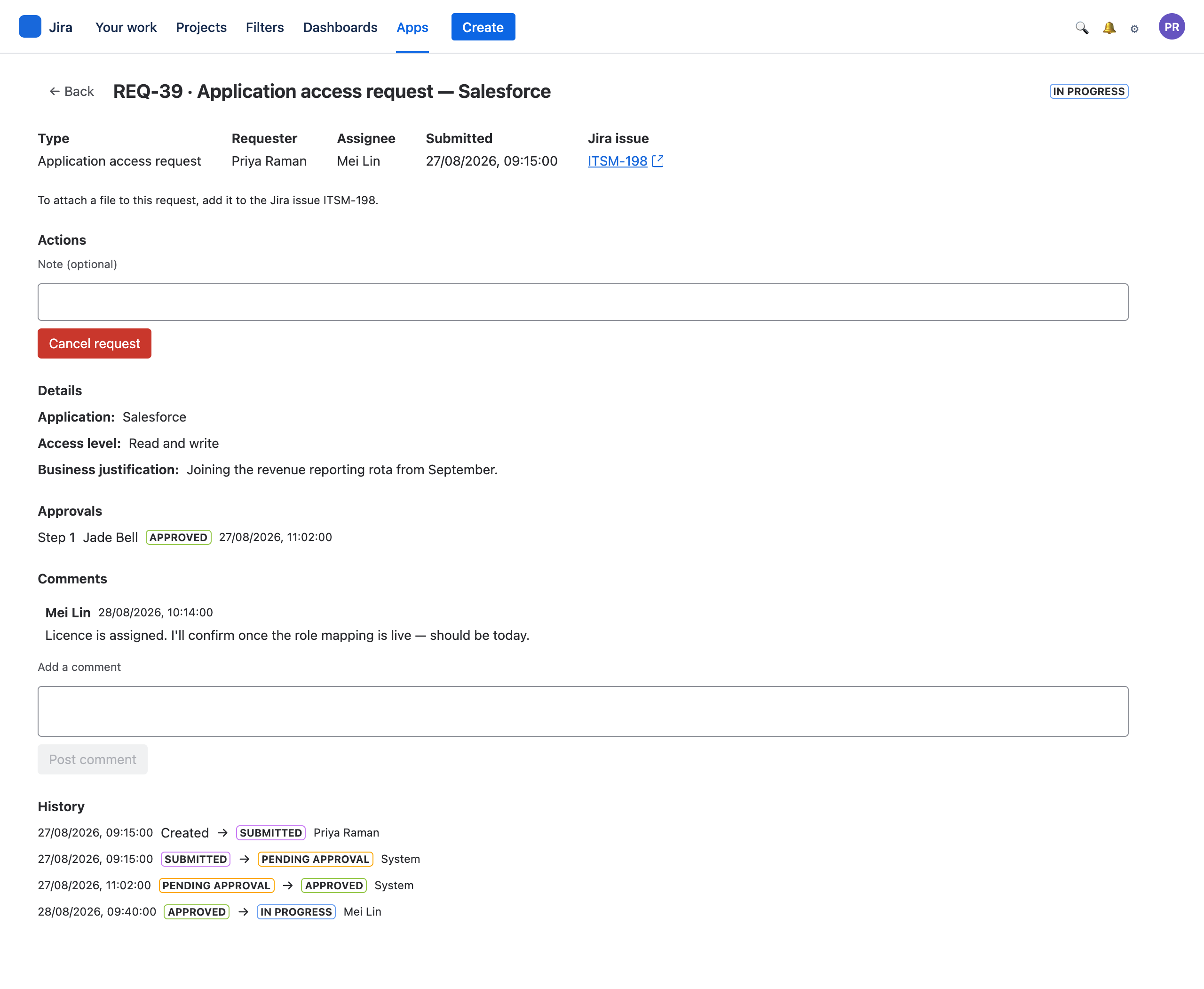
A requester sees
Their own requests, only. Every answer they gave, which approval steps exist and how each went, public comments, and a history with the internal states left out.
A requester never sees
Anybody else's request. Internal notes between agents. An approver's private commentary — except a rejection's reason, which is theirs.
Agents and approvers see
Every request on the site, with every note. Approvers get the full queue read-only so they can put a decision in context.
What a board move does
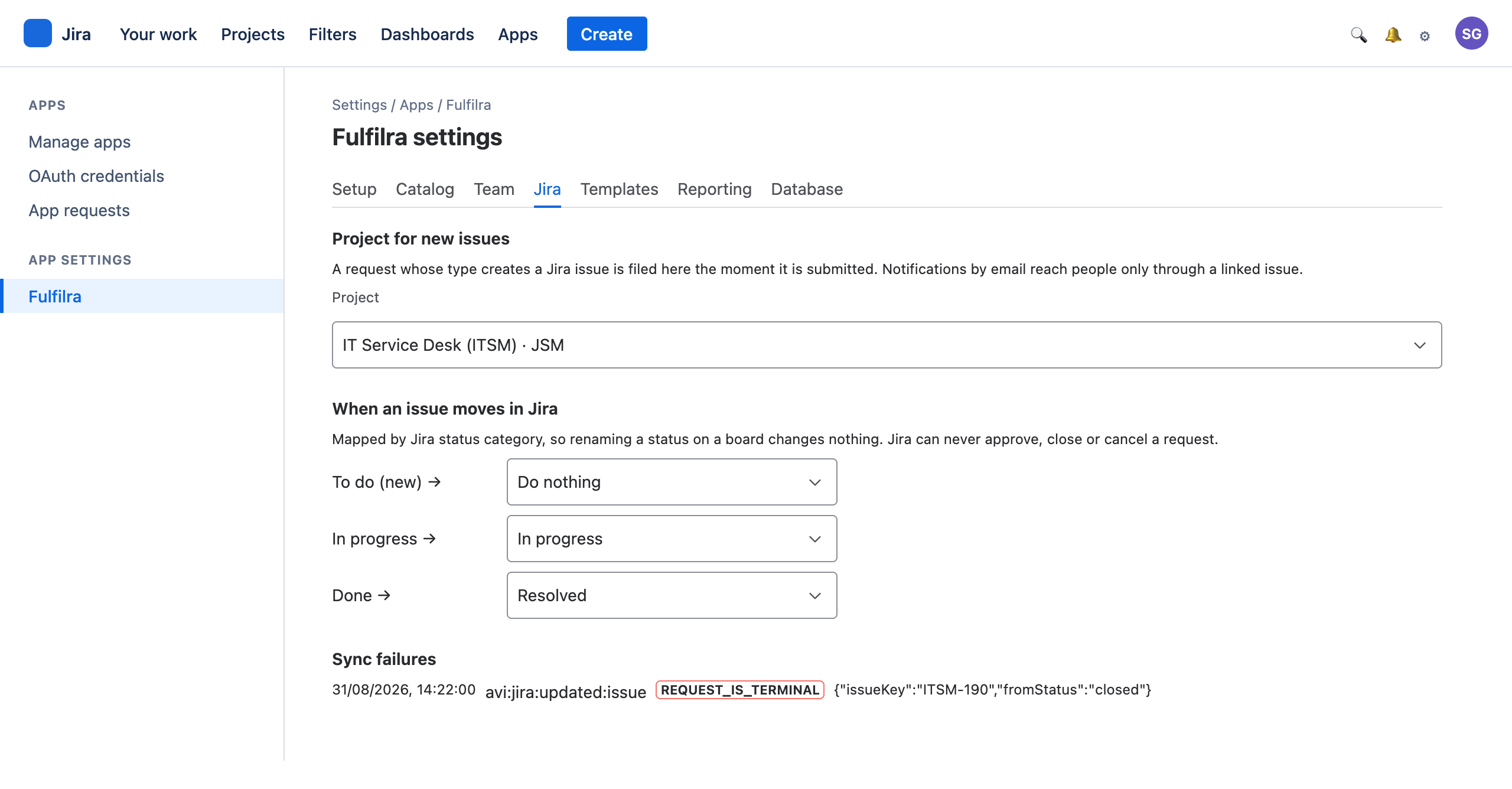
Fulfilra maps Jira's three status categories — not status names, which teams rename constantly.
| Jira category | Default | Why |
|---|---|---|
| To Do | Nothing | An issue dragged back is a board being tidied far more often than work being un-started |
| In Progress | In progress | Work has genuinely begun |
| Done | Resolved | Not Closed — closure is the requester's to give |
An administrator can change these, but not to a status Jira may never reach. Fulfilra refuses to save such a mapping and says why, rather than accepting it and ignoring every event.
See it on your own site
Install the Free edition and walk this whole workflow in about ten minutes.